Context Engineering on Your Terms
A Claude Code plugin that makes you better at context engineering, without giving up control of your context window.

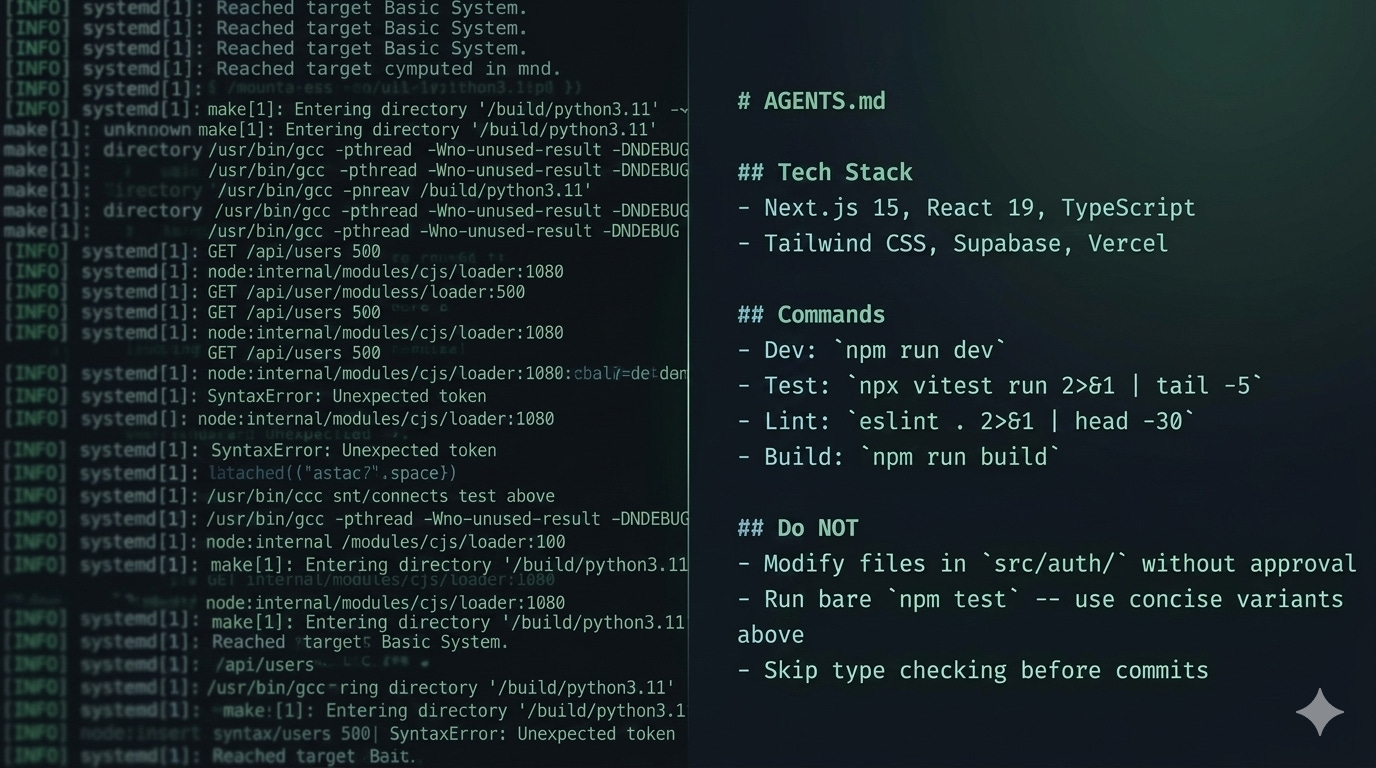
There’s a lot of activity this week around optimizing context windows in Claude Code. The core problem is real: AI coding assistants burn tokens on verbose CLI output, and once your 200K context window fills up with test runner boilerplate and linting noise, the quality of everything else degrades. Your reasoning gets worse, your sessions get shorter, you restart more often.
A couple of emerging tools have taken interesting approaches to this. I want to talk about what they do, what I think is wrong with them, and what I built instead.
The runtime compression approach
rtk (github.com/rtk-ai/rtk) is a Rust binary that acts as a CLI proxy. It intercepts command output and compresses it before it reaches the LLM. In its recommended hook-first mode, it installs a shell hook that silently rewrites your commands at execution time. npx vitest run becomes rtk test npx vitest run and returns a summary instead of the full output. The numbers are impressive on paper: the maintainer reports 60-90% token reduction across common dev commands, measured over thousands of real CLI invocations.
claude-context-mode (github.com/mksglu/claude-context-mode) takes a different angle. It’s an MCP server that sits between Claude Code and tool outputs, processing them in sandboxed subprocesses so only summaries enter context. It adds tools to your registry (execute, execute_file, index, search, fetch_and_index), installs a PreToolUse hook to route tool outputs through the sandbox, and indexes compressed results in SQLite with FTS5 for later retrieval. The compression numbers are dramatic: 315KB of raw tool output becoming 5.4KB in their benchmarks.
Both are clever engineering and address a real pain point. And I think both solve the problem at the wrong layer.
Why I care about the layer
Something really bothers me about runtime proxies for context management.
With rtk’s hook mode, the rewriting happens transparently. The AI issues a command, the hook intercepts it, rtk processes the output, and the AI sees a compressed version. The AI doesn’t know the rewriting happened, so your intent becomes a black box. You’re trusting a process you can’t inspect in real-time to decide what the AI sees and doesn’t see, and neither you nor the AI can easily verify what was filtered out.
With context-mode, you get more visibility (there are diagnostic commands!), but the architecture introduces a meaningful dependency. You’re running an MCP server, you’ve got a SQLite database accumulating indexed content, and you’ve added tools to your registry that consume tokens themselves. If something behaves unexpectedly mid-session, the debugging surface area just got a lot bigger.
I keep coming back to a question that applies broadly in governance (this is literally my current research topic): Can you prove what happened? With runtime proxies, the answer is “sort of, if you check the logs afterward.” With the approach I took, the answer is “yes, because the optimization rules are in your repo for everyone with access to read and version, including you.”
The different approach
I went a different direction with the Claude Code marketplace plugin in fending/context-engineering. The premise is simple: just identify the patterns in your project that produce verbose output, and teach the AI concise alternatives. Oh, and have it help you figure out what those things are.
The plugin’s scaffold skill analyzes your project’s actual dependency tree and generates a section for your AGENTS.md that maps verbose commands to concise variants. If you’re running vitest, it generates npx vitest run 2>&1 | tail -5 as the concise variant. If you’re running eslint, pytest, cargo test, ruff, or any of the common dev tool stacks, it detects them and generates appropriate concise commands.
No proxy binary. No MCP server. No SQLite database. No hook intercepting your shell commands. The concise variants live in your repo, visible to every contributor and every AI tool that reads your context files.
Here’s what the install looks like:
/plugin marketplace add fending/context-engineering
/plugin install context-setup@context-engineering
Then run /context-scaffold and it helps you generate context files and other scaffolding based on what it finds in your project.
What the plugin actually does
Five skills, each doing one thing:
/context-scaffold reads your project (package.json, Cargo.toml, pyproject.toml, whatever you’ve got), detects your tech stack and framework, evaluates your project’s complexity, and generates context files pre-populated with concise command variants and project-specific guidance. It recommends whether you need a minimal setup, a full single file, or cascading files with a context directory.
/context-audit checks your existing context files for structural completeness. Are the required sections present? Does your context complexity match your project complexity? Are there cascading contradictions across context levels? It also detects optimization opportunities from your dependency tree, recommending concise command variants you haven’t set up yet.
/context-align is the one I find most useful day-to-day. It cross-references your context files against the actual codebase and flags drift. Tech stack references that don’t match your dependencies. Directory paths that point to directories that don’t exist anymore. Build commands that reference scripts you’ve since renamed. Context rot is a real problem, and this catches it before it confuses your AI.
/context-usage is a session-level diagnostic. It looks at the Bash tool calls in your current session and reports which commands are burning context with verbose output, which are being repeated unnecessarily, and which are already concise. It works with pre-compression session history, so you’re seeing what actually entered the context window. When it finds opportunities, it points you to the audit skill for specific recommendations.
/context-upgrade guides transitions between complexity levels. If you started with a minimal AGENTS.md (CLAUDE.md) and your project has outgrown it, this walks you through extracting content into a context directory or adding cascading structure. It preserves what you’ve already built.
The philosophy behind this
The repo this plugin lives in (github.com/fending/context-engineering) started as a companion to an article I wrote last year about how teams organize context for AI collaboration. It’s grown into working examples of every pattern from that article: single files, context directories, cascading structures, agent workflows, and multi-agent teams. (There’s an optional Jira sync for team work items, but that should get its OWN write-up!)
There’s also a .claude-example/ directory with operational skills and hooks you can copy into your own .claude/ config, among other copy+paste opportunities:
An onboard skill that discovers and summarizes what context exists.
A scope-check skill that validates tasks against boundary rules before the AI starts working.
A context-align skill for drift detection (appears in both the plugin and here -- the copy lets you use it without installing the plugin).
Pre-tool hooks for file boundary protection and post-tool markdown linting.
These are the day-to-day tools that operate *within* the context structure the plugin helps you build.
The key principles haven’t changed, and in this model context is still for both humans and AI. Boundaries prevent more performance problems than instructions do, and state and context are different things that should be separated. And context files rot, so you need mechanisms to detect when they’ve drifted from (your) reality.
This plugin is that mechanism layer. It doesn’t manage your context at runtime. It helps you build context files that make runtime management unnecessary for the most common token waste patterns.
The tradeoffs (honestly)
I should be direct about what you give up with this approach.
Runtime proxies can compress things the file-based approach can’t. If a git log dumps 500 lines of commit history, rtk can summarize that on the fly. My approach handles this by teaching the AI to run git log --oneline -20 instead of bare git log, which covers the common case but isn’t dynamically adaptive - you’ll still need to teach it new concise commands.
For test output specifically, the file-based approach handles 90%+ of the waste because test runners have well-known verbose-vs-concise flag patterns that are consistent per tool. The trusty npx vitest run 2>&1 | tail -5 works every time, lint output is similar, and the long tail of weird CLI tools with unpredictable output formats is where runtime proxies have a genuine advantage.
But I keep coming back to visibility. The concise command variants in your AGENTS.md (CLAUDE.md) are readable by every person and every tool that touches your repo, they’re version controlled, and they’re reviewable. When something goes wrong, you can see exactly what the AI was told to do. That matters to me more than covering the last 10% of edge cases with a runtime proxy I can’t see into.
Try it in Claude Code
/plugin marketplace add fending/context-engineering
/plugin install context-setup@context-engineering
Run /context-scaffold on a project.
While you’re in a session (before compression!), run /context-usage to see how your current session is performing.
If it thinks you have room to improve, run /context-audit and look at what it suggests.
If the concise variants or other recommendations aren’t right for your workflow, edit them. They’re just markdown in your repo.
And that, friends, is the whole point: Context engineering on your terms.
https://github.com/fending/context-engineering
CREDITS: Claude Open 4.6 for editorial, Google Gemini Nano Banana 2 for cover art